
dev log 1 - building some UI
2022-03-20
Things are starting to take shape!
As of the creation of this article, the website currently looks like this:
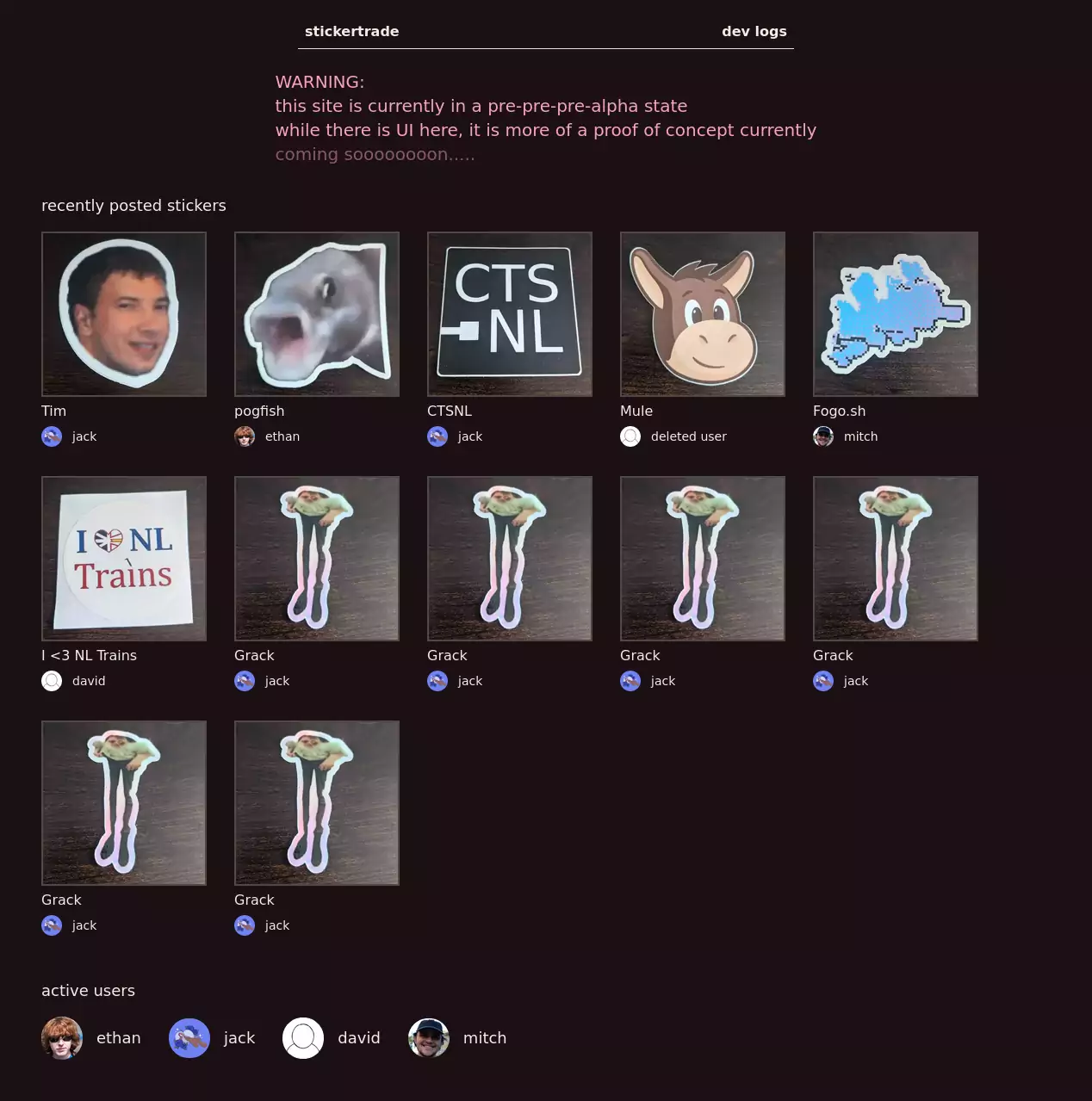
This is the bulk of what I think the homepage should display at first glance: recently posted stickers, and recently active users.
Trying Figma
To get to this point, I had planned to learn a bit of Figma to build out the UI, making it to the point of recreating what I had completed by the last post:
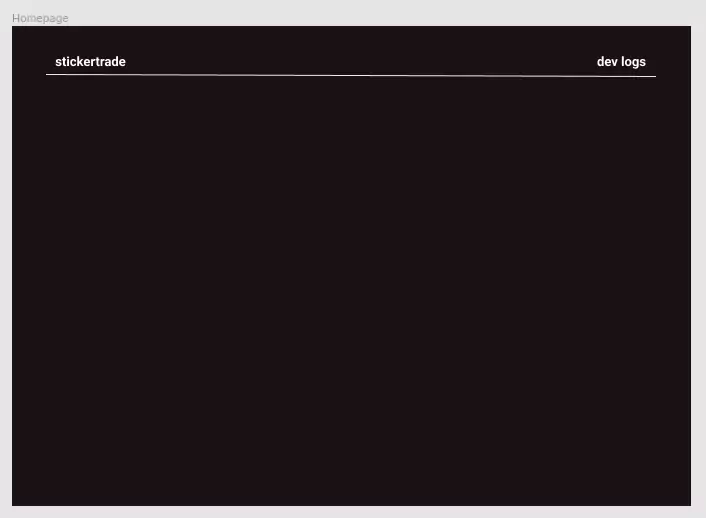
Which as you can see, wasn't very much.
I had also spent some time copying over my work-in-progress color theme to its own space within the Figma document, which came out quite pleasing:
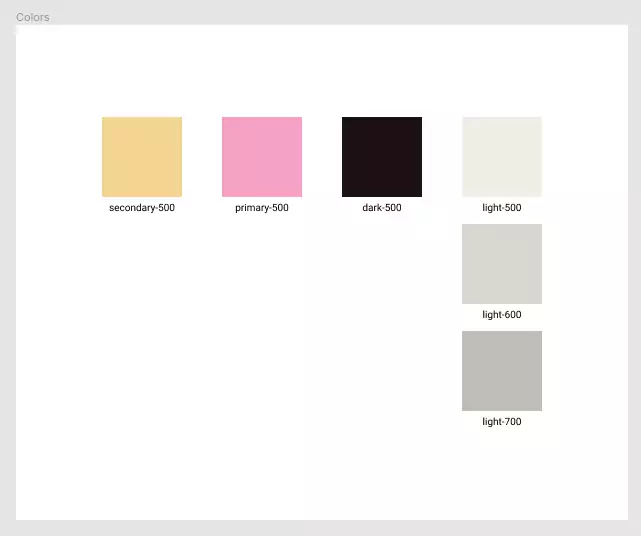
But, faced with a blank canvas to then build the remainder of the UI, I didn't feel like I wanted to keep using Figma, simply because it was time consuming to get everything nice and aligned.
I wasn't even sure where to start, therefore it was hard to proceed from here.
Don't get me wrong, Figma is a fantastic tool, and as a developer who has been given designs made by others using it to actually build, I am a huge fan.
It even seems by the way Figma is designed, it forces designers to make layouts that work super well with CSS Flexbox / Grid concepts and such.
But for me, I wanted some way to produce some 'Fat marker sketches' of what the UI should look like (my last job had made us all read through Basecamp's Shape Up, which covers what exactly fat marker sketches are).
The TL;DR is:
A fat marker sketch is a sketch made with such broad strokes that adding detail is difficult or impossible.
Using Excalidraw
Now while I have pens and pencils to whip out and actually draw this up physically, I still feel most comfortable working on a mouse and keyboard, so its Excalidraw to the rescue!
Within about ten minutes, I had produced most of the following:
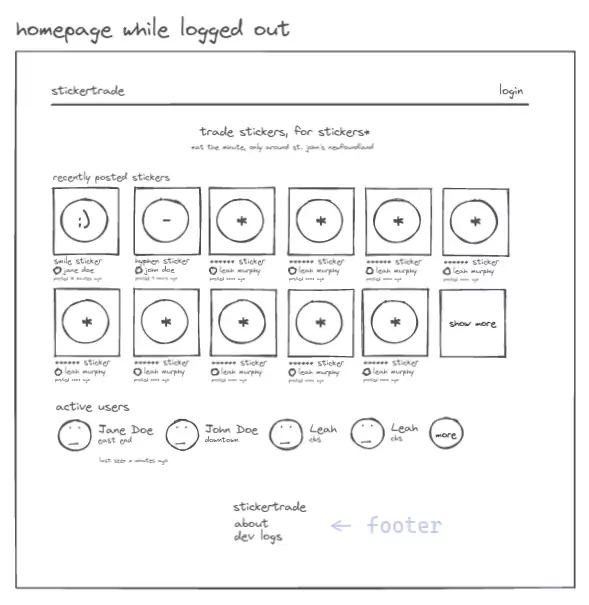
Building this took no time, since I didn't have to worry about:
- Colors
- Auto-layout
- Basically any specifics
But actually caring about important things like:
- Where things go
- What text / information should be displayed where
Data
After I had created the rough diagram above, I felt I didn't even need to spend time in Figma building it, since I already knew how I wanted to break the above UI into the resulting JSX + Tailwind classes + Component structure.
But once I had created the first component, StickerCard, I had a problem I knew I had to solve, but realized it needed solving sooner rather than later...
I need data to put into this thing, and since its going to be fed by a database query of sorts, I might as well dig into defining a database schema.
And as you can likely assume, the above can quickly spiral in going from pretty UI land, to deep in the backend dungeons of setting up everything required for there to be:
- A database
- Schema for the database
- Query endpoints the frontend can talk to
- etc.
However, Remix's own tutorial talks a lot about Prisma, something I had talked about in the first entry, and something I had used briefly before without much enjoyment, but was willing to give it another shot.
And oh boy.
Was I glad I did.
The best way to explain why its so good, is to show some code:
import type { User } from "@prisma/client";

export function UserCard({ user }: { user: User }) {
  return (
    <div className="flex items-center gap-4">
      ...
      <p className="my-1 text-lg">{user.username}</p>
      ...
    </div>
  );
}
Above I have sections of the UserCard component, its job is to render the following UI:

As you can see, I'm using TypeScript, but whats special in the above code is that I'm importing the User type directly from the @prisma/client package.
It would obviously be inflexible if Prisma shipped with its own concept of what the schema of a user would be, but this is actually a type coming from my own schema.
Within prisma/schema.prisma currently lies the following definition:
model User {
  id        String    @id @default(uuid())
  username  String    @unique
  avatarUrl String?
  createdAt DateTime  @default(now())
  updatedAt DateTime  @updatedAt
  stickers  Sticker[]
}
This is Prisma's own DSL, which can produce:
- SQL migrations
- TypeScript types
Which is sick!
Prisma also exposes a very simple interface to query data within your database, like so:
import { db } from "~/utils/db.server";

export const getUsers = async (take: number) =>
  await db.user.findMany({ take });
Now that I have:
Userwithin my database schemaUserCardready to go to be handed aUserto rendergetUsersfunction that can query for a selection of users
The only thing left to do is to write out the page that'll be shown to the user that brings all of the above together!
import type { User } from "@prisma/client";
import type { LoaderFunction } from "remix";
import { json, useLoaderData } from "remix";
import { UserCard } from "~/components/UserCard";
import { getUsers } from "~/data/users";
I first import everything I need:
Usertype, since I want to ensure I am populating my frontend with the right data.LoaderFunctiontype,json, anduseLoaderData, which are things I'm pulling in from Remix to be used for data fetching.- My
UserCardcomponent, andgetUsersfunction, as described above.
type LoaderData = {
  users: User[];
};

export const loader: LoaderFunction = async () => {
  const [users, ...] = await Promise.all([getUsers(8), ...]);
  const data: LoaderData = { users, ... };
  return json(data);
};
Here, I define a 'loader' function, that will fetch 8 users, and package them as JSON for the client.
export default function Index() {
  const { users, ... } = useLoaderData<LoaderData>();

  return (
    <>
      ...
      <p className="text-lg mt-12 mb-4">active users</p>
      <div className="flex flex-wrap gap-8">
        {users.map((user) => (
          <UserCard key={user.id} user={user} />
        ))}
      </div>
      ...
And then, I simply fetch that data into the frontend!
But wait a second.
Where is the fetch? where is the endpoints? am I waiting on a loading state when the data isn't ready?
I'm not, this is the beauty of the setup Remix gives you.
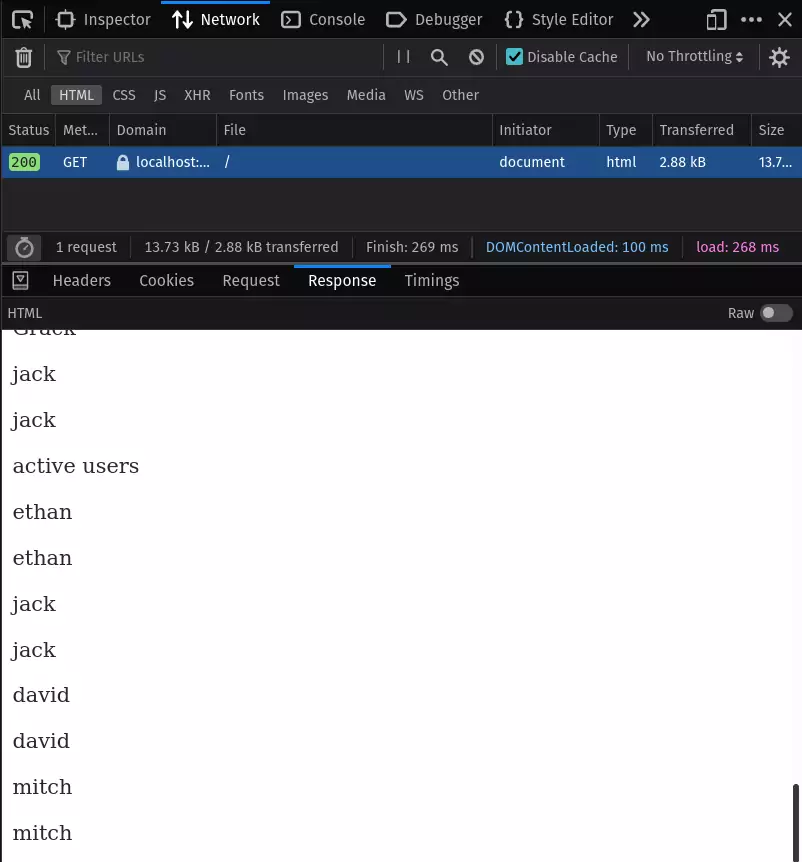
- On page load, this is server-side rendered and populated, so in the HTML the actual
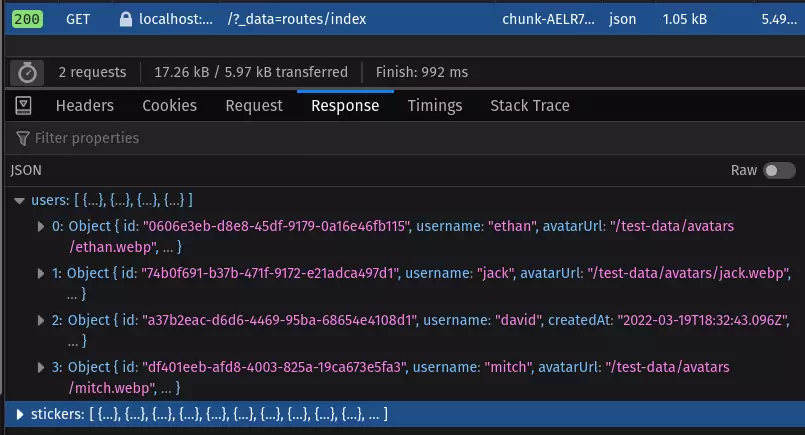
UserCardcomponent is sent within the first request the user makes. - If the user navigates away from the page, to say the
/dev-logsroute, but then returns, it can make a fetch request to repopulate the data that renders this display, since the logic required to do so its shipped to the frontend!`
As you can see, here is some actual data coming back from the initial / request:
And after navigating away from the page, and returning, the following request is made:
This was magic to me (I think mostly because I had never digged into Next.js before, which AFAIK gives you a similar structure), and I am a huge fan.
Things are nice, I'm curious to see how long I can keep up interest in this project because I like the stack, and think the idea will be fun to see through to people actually using it.